If most of your invoices arrive as typed PDFs, try the capture feature in your accounting tool before you buy anything. Pay for a capture tool when volume or messy scans outgrow it. Build custom extraction only when the data has to land somewhere those tools can't reach. Whichever you pick, a person checks any field the reader isn't sure of.
We ran six sample invoices through a basic extractor on 23 November 2026 to see where that line falls. The three typed PDFs came out 18 fields out of 18 with no AI involved. The three rough scans gave us 3 right fields out of 18, and all three were stopped for a person. The full results, including a bug the hold didn't catch, are below.
What does AI invoice processing actually do?
It reads a supplier invoice and turns it into a draft bill: supplier, invoice number, dates, VAT and total, sometimes line by line. The reading is the part a model helps with. Checking the sums, matching the supplier and deciding to pay are separate steps, and only some of them should be automatic.
Hubdoc, one of the capture tools that publishes to Xero and QuickBooks Online, sums up the job on its how it works page: "Hubdoc extracts key information from your receipts, invoices, and bills." Supplier, invoice number, dates and amounts are the core of it in every product we looked at.
What differs is the input. A typed PDF already carries its text, so a few plain rules can pick out the fields. A phone photo or a scan has to be read first, by optical character recognition (OCR) or a vision model, and that's where mistakes creep in.
What happened when we ran six invoices through an extractor?
The typed invoices were easy and the scans were not. We made six invoices from fictitious suppliers, three as typed PDFs and three as deliberately rough scans: tilted, speckled and, on one, a grey stain across the totals. Then we pulled six fields from each and held anything doubtful for a person.
The reader was simple on purpose. Typed PDFs went through their text layer and a set of plain rules, with no model at all. Scans went through Tesseract 5, an open-source OCR engine built on a neural network, which scores its confidence in every word. Any field under 85 out of 100, any missing field, or a subtotal plus VAT that didn't match the total sent the invoice to a person.
Invoice | Type | Fields right (of 6) | What happened |
|---|---|---|---|
1 | Typed PDF | 6 | Posted automatically |
2 | Typed PDF | 6 | Posted automatically |
3 | Typed PDF | 6 | Posted automatically |
4 | Rough scan | 3 | Held: VAT and total not found |
5 | Rough scan | 0 | Held: invoice number cut short, read at confidence 80 |
6 | Scan with a stain | 0 | Held: due date read as 2028 instead of 2026, confidence 40 |
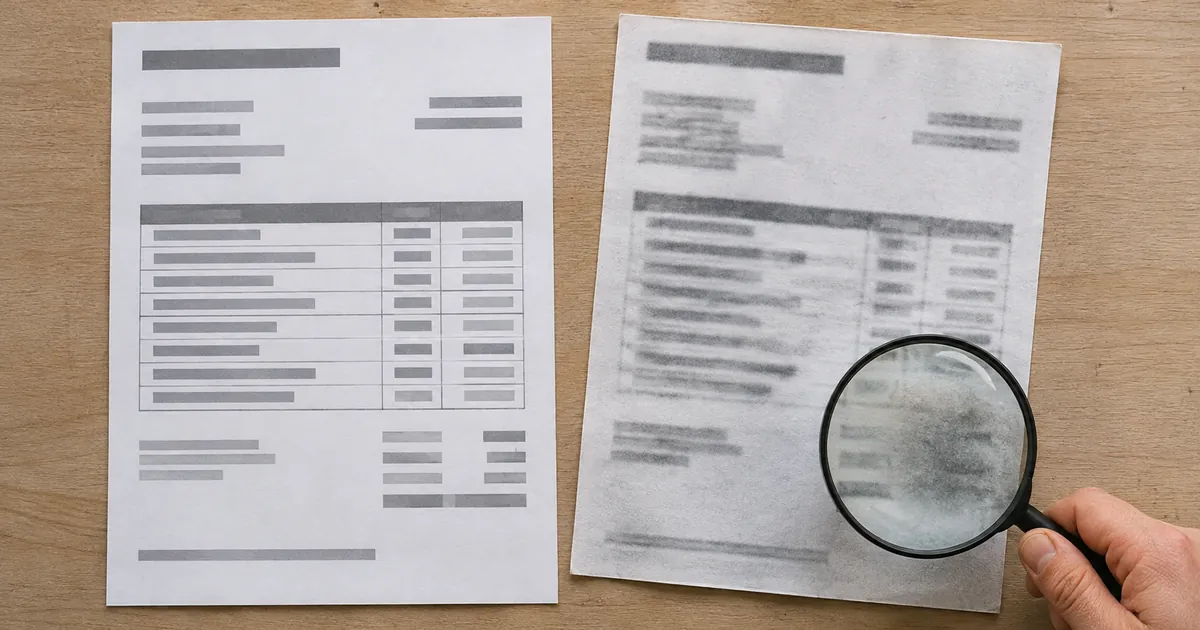
That's the second run. On the first, the typed PDFs posted automatically with the wrong supplier name, because the word "INVOICE" sat on the same line and the rule swallowed it. Text pulled from a PDF has no confidence score, so the hold had nothing to catch. We fixed the rule, cleaned up the scans' speckle before OCR, and ran it again.
Take two lessons to any tool you try. The hold only catches what the reader is unsure about; a rule that's confidently wrong sails through, so a person should spot-check the posted invoices for the first few weeks. And the threshold matters: invoice 5's shortened number scored 80, so a line set at 75 would have let it through.
This was six made-up documents, one basic reader, and rules we tuned once on the same set. Commercial capture tools and AI vision models use stronger readers than ours. We didn't test one here, so we can't tell you how they'd do on these scans.
What does each option cost?
Published prices run from nothing to a few hundred pounds a year, before anyone builds anything. The cheapest route is the capture already in your accounting plan; the raw extraction services cost least per page but need the most building around them. These are the prices we read on 23 November 2026, excluding VAT:
Option | What you get | Published price |
|---|---|---|
Keep it manual | Someone types each bill into the accounting tool | Staff time only |
Xero (UK) | "Smart document capture" on every plan; Ignite lets you "Enter 10 bills", Grow and above "Automate bill entry and track bills" | Ignite £18 a month, Grow £39 a month, after the first six months |
Capture into your accounting tool, priced in credits: 1 per invoice, 2 per invoice with line items | Bronze: 50 credits a month for £15.45 | |
Dext (UK, business) | Receipt and invoice capture, 250 documents a month, 5 users | £290 a year, billed annually |
Amazon Textract Analyze Expense | An extraction service a developer calls; no screens, no approvals, no link to your books | AWS's own example: $0.01 a page in US West (Oregon), first million pages a month |
Two of these are plan-gated in ways that matter. Xero's cheapest plan includes capture but lists "Enter 10 bills", so automated bill entry starts on Grow. AutoEntry charges double for invoices read line by line, and Dext's 250-document plan lists only 5 documents with line-item extraction among its included credits.
The raw services are cheap per page. Building around them is what costs money: connecting your inbox and your books, the checks, the approval screen, and someone to fix it when a supplier changes their layout.
Which one should you choose?
Start with what your accounting software already includes. Move to a capture tool when typing bills takes real hours each week or most bills arrive as photos. Consider custom extraction only when the data has to go into a system the capture tools don't connect to, or your checks are specific to your business.
Your situation | Our suggestion |
|---|---|
A handful of typed PDF bills a month | Keep it manual, or use your accounting tool's capture |
Dozens a month, mostly typed, one accounting tool | Your accounting tool's capture, or a capture tool such as AutoEntry or Dext |
Lots of phone photos and paper receipts | A capture tool built for photos; test it on your worst ones first |
Invoices must go into a job system, a spreadsheet or software the capture tools don't support | Custom extraction with a hold for low-confidence fields |
Every invoice needs matching to an order, a job number or a contract | Custom extraction, or a capture tool plus a person doing the matching |
In our view, test any option on 20 of your own invoices, including the worst scan you have, before you commit. The typed ones will tell you very little.
When does custom extraction make sense?
When the fields have to end up in your own system, not just in Xero or QuickBooks, or when your checks go beyond "do the sums add up". That's the job our AI automation service lists under back-office documents: "fields pulled from PDFs, invoices, or emails into your own system, with low-confidence results held for a person to check".
The same page says we use ordinary code for steps that don't need a model, and that "If an off-the-shelf tool would do the job for less, we will tell you that too." For most of the rows in the table above, that's what we'd tell you.
A custom build is quoted after a written scope. Our guide to what AI automation costs a small business explains the three lines to ask for: build, ongoing care, and usage with a monthly cap. An extractor that stops quietly is worse than none, because bills pile up unseen, so read how to catch automations that fail silently before you trust one.
What should a person always check?
Anything that moves money. Let the extractor draft the bill; keep a person on approving payment, on any change to a supplier's bank details, and on held fields. A changed bank account on an invoice is the classic sign of payment diversion fraud.
Report Fraud's page on mandate fraud says criminals "send over fake invoices to make it more believable", and advises that if you receive a request to move money into a new bank account, you "contact the supplier directly using their official and verifiable contact details". No extractor should be allowed to update bank details on its own.
FAQ
Is AI invoice processing accurate?
On clean, typed PDFs it can be close to perfect, and those barely need AI at all. On photos and scans it depends on the reader and the image. In our test a basic open-source reader got 3 of 18 fields right on rough scans, and the confidence hold stopped all three invoices before they posted.
Does Xero read invoices automatically?
Xero's UK plans all list "Smart document capture". The cheapest, Ignite, lets you enter 10 bills; automated bill entry is listed from the Grow plan up. Check which plan you're on before paying for a separate tool. Separate capture tools such as Hubdoc also publish into Xero.
How many invoices before capture software pays for itself?
There's no fixed number. In our view it's worth it once typing bills takes a few hours a week, or once photos and paper receipts are the norm. At AutoEntry's Bronze price, 50 invoices a month without line items cost £15.45, so compare that with the time typing them takes now.
Can an AI tool pay my suppliers too?
Your accounting tool may be able to pay bills, but we wouldn't let extraction trigger a payment. Keep payment approval and any bank-detail change with a named person, and check new bank details with the supplier through contact details you already hold.
What to do next
Pull 20 recent supplier invoices, including your worst scans, and try your accounting tool's capture on them first. If they need to go somewhere it can't reach, book a free 30-minute assessment and bring the samples.
How this guide was made: Ramin Moradi researched and wrote it with AI assistance. Vendor prices and quotes were checked against the linked pages on 23 November 2026 (Europe/Istanbul) and exclude VAT; they change, so check them before you buy. The extraction test used six fictitious invoices and open-source tools (Tesseract 5 OCR and plain rules, no language model), run that morning. It is a small test, not a benchmark and not a client result.
Comments